
When a restaurant's menu lives in a spreadsheet, something has to change
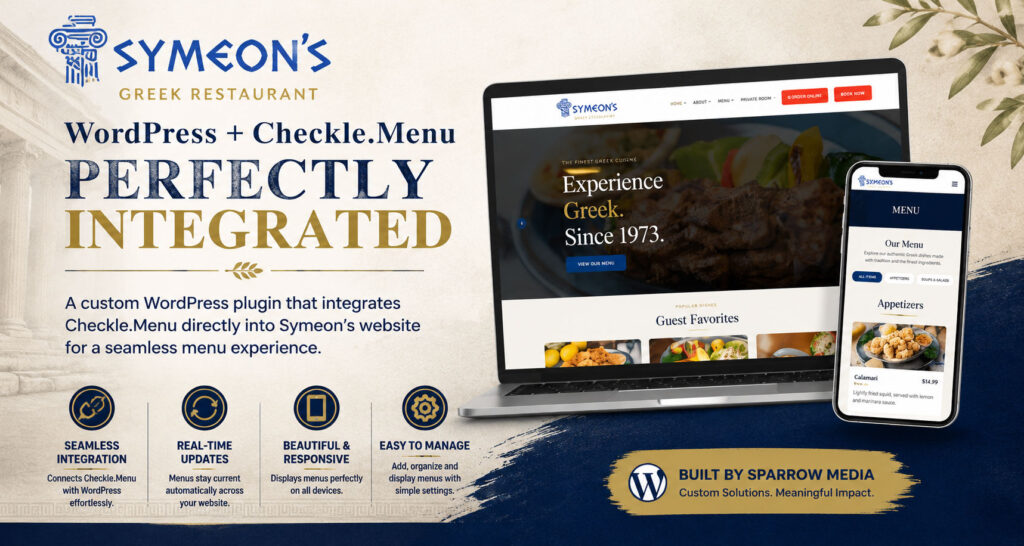
A 50-year-old restaurant with a website that couldn't keep up
Symeon’s Greek Restaurant has been a Mohawk Valley institution since 1973. The food is legendary. The menu is enormous — spanning soups, appetizers, grilled meats, seafood, vegetarian options, a full lunch service, seasonal specials, a dessert list, a wine list, and a dedicated gluten-free menu. That’s over a dozen categories and hundreds of items, with prices that change, specials that rotate, and dishes that come and go with the seasons.
Like a lot of long-established restaurants, Symeon’s had tried to keep their online menu up to date the old way: manually editing a page in WordPress every time something changed. It was slow, it required a developer’s help for anything more than a text edit, and — inevitably — the website menu fell out of sync with what was actually being served.
When Sparrow Media took over the full website rebuild, we knew this had to be solved at the root.
The existing tool was great — but disconnected
Symeon’s already used Checkle — a purpose-built platform for restaurant menu management — to keep their menu organized. Checkle does what it does well: it gives restaurant owners a clean interface to manage items, prices, sections, photos, and dietary information without touching a website. Any change made in Checkle is live and accurate.
The problem was connecting Checkle to the new WordPress website in a way that ticked every box. The new site needed to be:
Checkle offers an embeddable iframe for quick website integration. It works, but it locks you into Checkle’s design — you can’t control fonts, colors, layout, or structure. For a full brand rebuild, that wasn’t going to cut it. Checkle also offers a JSON API. That’s what we built on.
A custom plugin built specifically for the problem
We developed Checkle Menu for Elementor — a custom WordPress plugin that connects directly to the Checkle API and exposes all of Symeon’s menu data as a fully controllable Elementor widget.
"Your team should manage your information in one place, and your website should reflect it automatically."
Here’s what it does, without the technical language:
In the WordPress admin, there’s a simple settings page where you enter your Checkle account details and click one button: Fetch & Sync Menus. The plugin pulls in the full list of your menus — Main Menu, Desserts, Banquet Menu, Gluten-Free Menu, Greek To Go, and so on — and stores them ready for the editor to use.
In Elementor, you drag a Checkle Menu widget onto any page. In the widget settings, you add the menus you want to display — one, several, or all of them. You can assign each menu a custom title and choose individually what to show or hide. Want to display just the Desserts menu on a promotions page? Two clicks. Want the full Lunch and Dinner menus on the main menu page? Add them both to the same widget.
The menu data updates automatically. When someone changes a price, adds a new dish, or removes an item in Checkle, that change appears on the website without anyone touching WordPress. The plugin caches data intelligently — configurable from 15 minutes to 24 hours — to keep page loads fast, with a one-click clear cache button for urgent updates.
Every element is adjustable — nothing is hardcoded
One of the most important requirements was full design control. Restaurant websites live and die by presentation, and the last thing Symeon’s needed was a menu that looked copy-pasted from a third-party platform.
Every visual element is controllable through Elementor’s standard style panel — the same interface the site editor already knows:
Column layout
1–4 columns with independent responsive settings for desktop, tablet, and mobile.
Typography
Full font, size, weight, color, and spacing control on menu titles, section headings, item names, and descriptions.
Item cards
Background, border, border radius, padding, and box shadow — with separate normal and hover states.
Item photos
Toggle images on or off. Control image height and how the photo fills its container.
Pricing display
Handles both flat prices and option-based pricing (Half Order / Whole Order, Single / Double skewer).
Featured badges
A styled label for highlighted dishes — customizable text, color, and shape.
Nothing is hardcoded. If the design direction changes six months from now, every aspect of the menu display can be updated in Elementor without touching a line of code.
Built properly, not bolted together
We built this as a proper WordPress plugin — not a code snippet, not a workaround — with a clean separation of concerns:
A dedicated API class handles all communication with Checkle, including caching responses as WordPress transients so the API is only called when needed.
A settings class handles the admin page, AJAX-powered menu sync, and cache management — all without a page reload.
An Elementor widget class registers all Content and Style controls and handles rendering with full Elementor compatibility.
Assets only load on pages where the widget appears — zero performance impact site-wide on pages that don’t use it.
Inactive menu items are filtered out automatically, empty sections are skipped, and sections always render in the correct order regardless of how the API returns the data.
One source of truth. Zero manual updates.
Symeon’s now has a live, accurate, beautifully formatted menu on their website that they control entirely from within Checkle — the same tool they were already using. Price changes, new dishes, seasonal updates — none of them require a developer. The website menu and the in-restaurant menu are always in sync.
From Sparrow Media’s side, we now have a plugin that’s clean, version-tracked, and built to grow. When Symeon’s needs to add something — section filtering, a lightbox for food photos, a Jump to Section navigation — there’s a solid foundation to build on.
Facing a similar challenge?
If you run a restaurant, café, or any business where information changes frequently, you shouldn’t need a developer every time something needs to update on your website.
